NewSplit screen for two-person podcasts
Turn your long videos into viral shorts.
Paste a link to your YouTube video or upload a file. AI finds the best moments, keeps people in the 9:16 frame and adds animated captions. Clips ready for TikTok, Reels and Shorts in minutes.
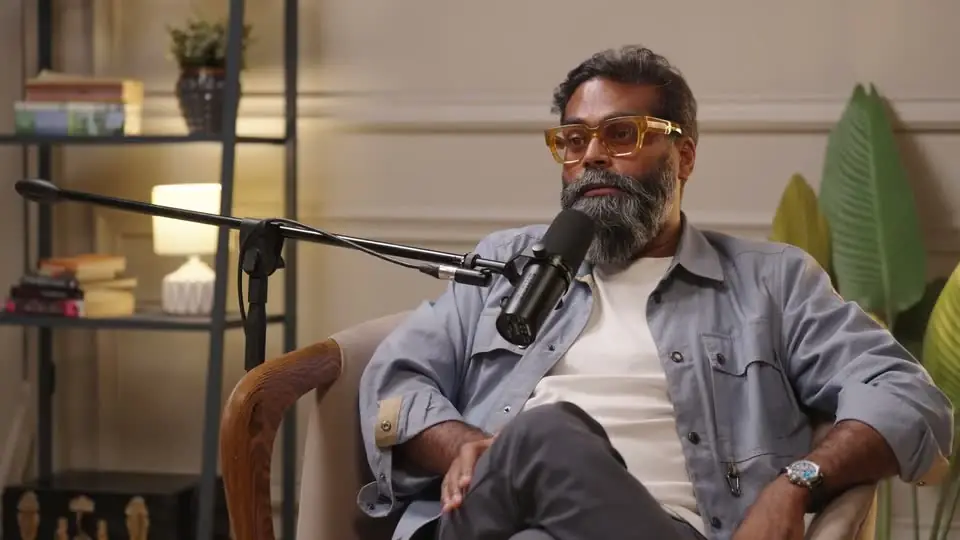
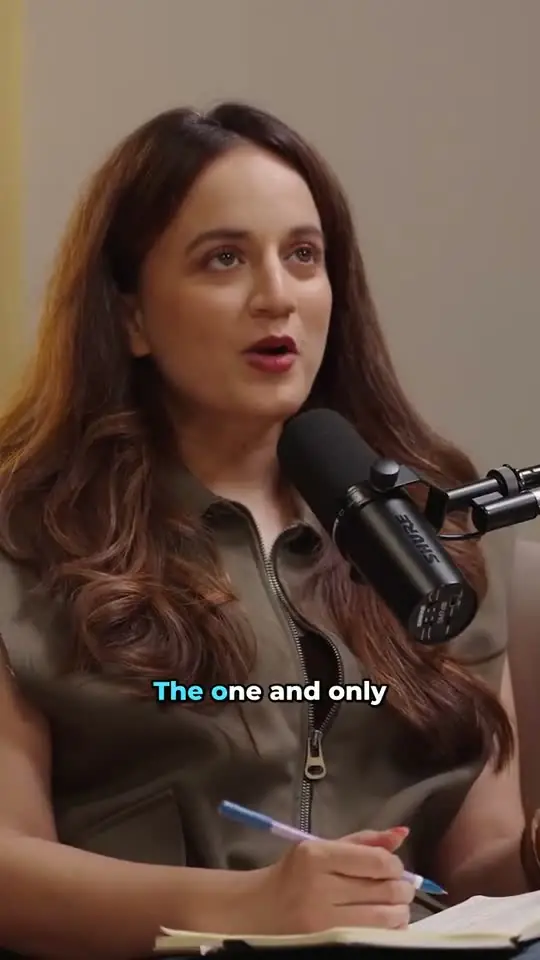
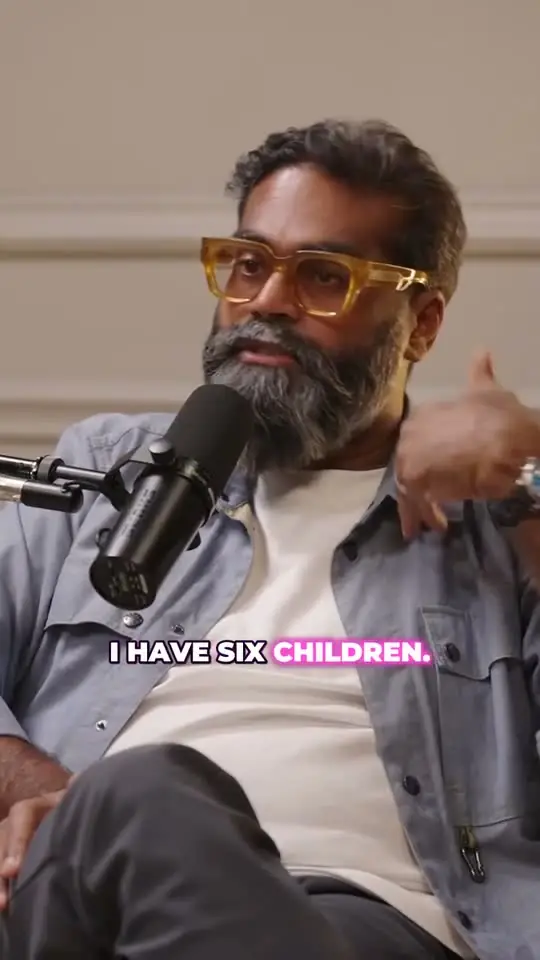
Real clips made by ClipTaro from “The future of AI : Digital Humans | Sonia Shenoy Podcast” by Sonia Shenoy, licensed CC BY 3.0.
Examples
Captions people actually watch
The same real clip in all five styles, each animated word by word and burned into your export.
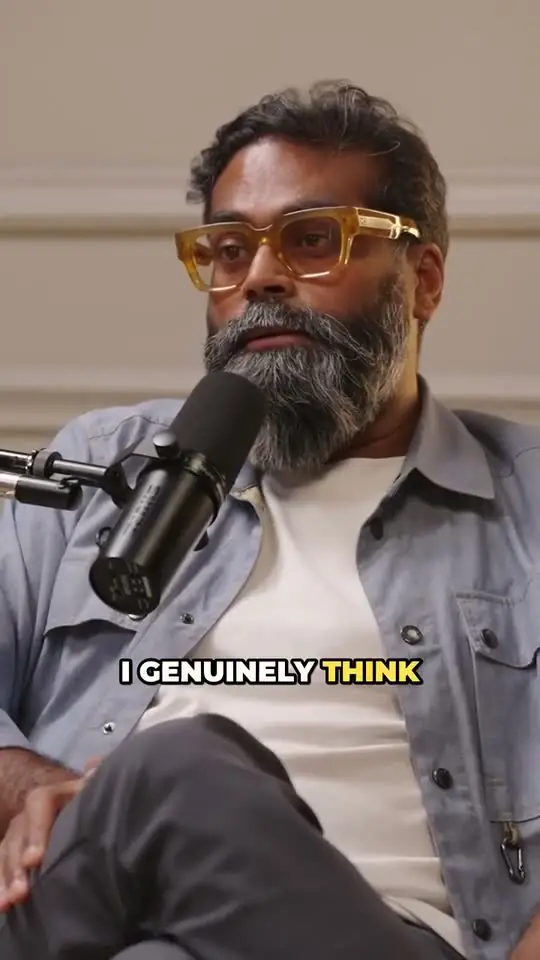 92
Why This CEO Says Traditional Education Is Redundant
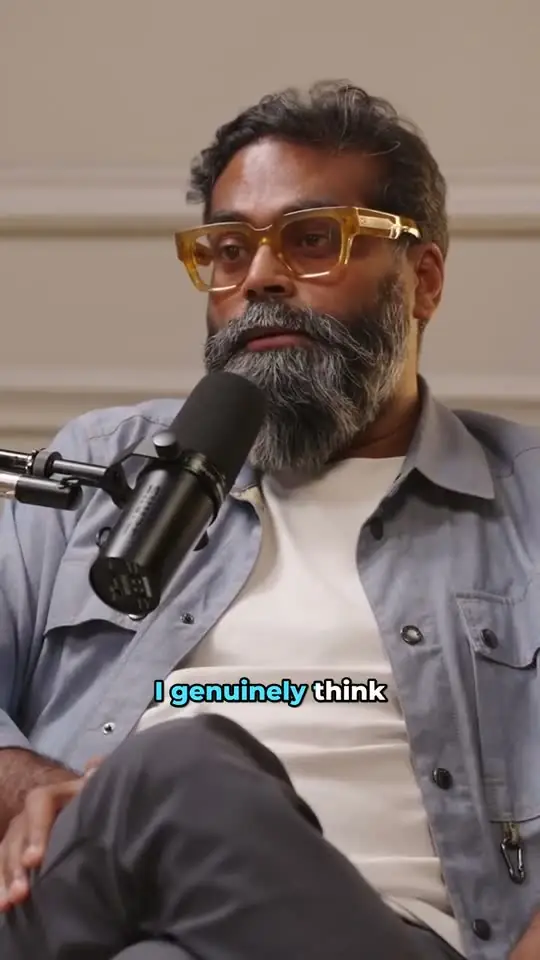 92
Why This CEO Says Traditional Education Is Redundant
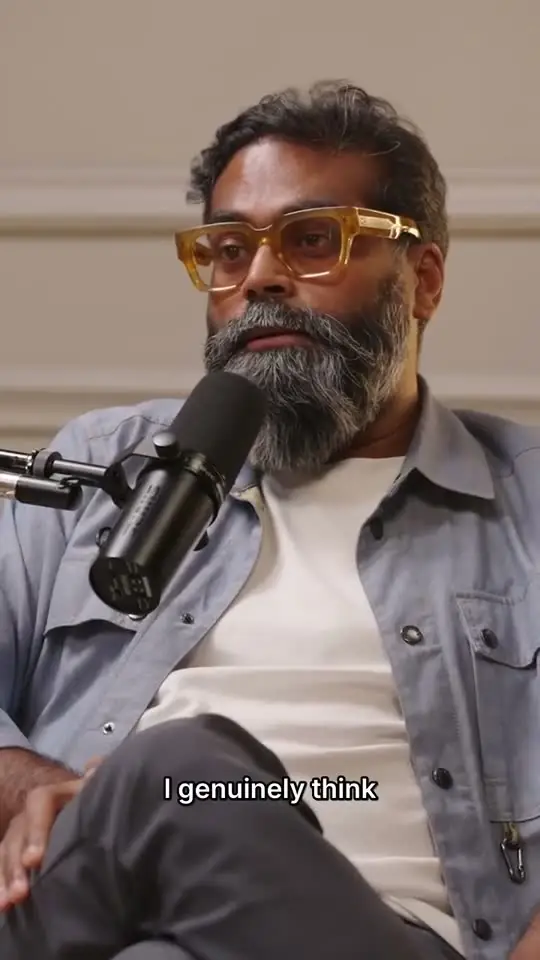 92
Why This CEO Says Traditional Education Is Redundant
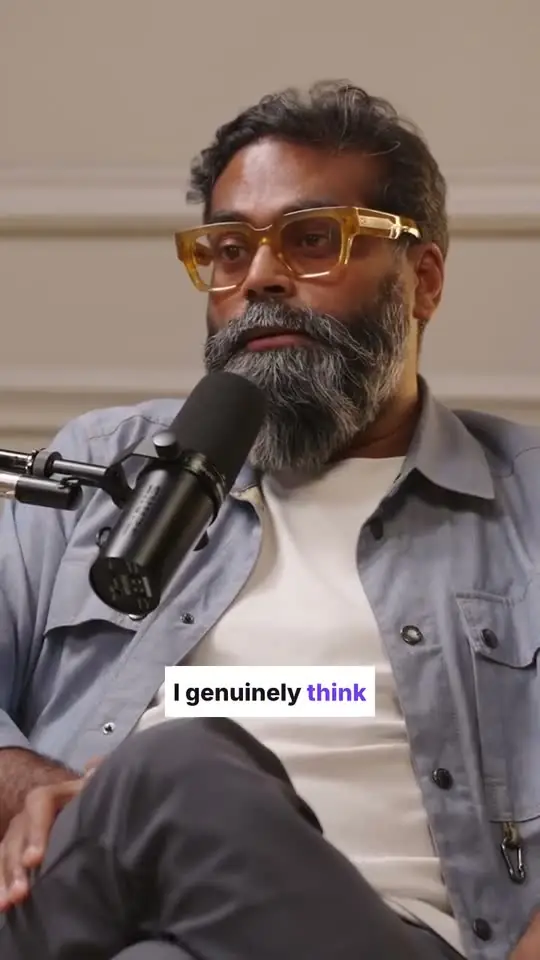 92
Why This CEO Says Traditional Education Is Redundant
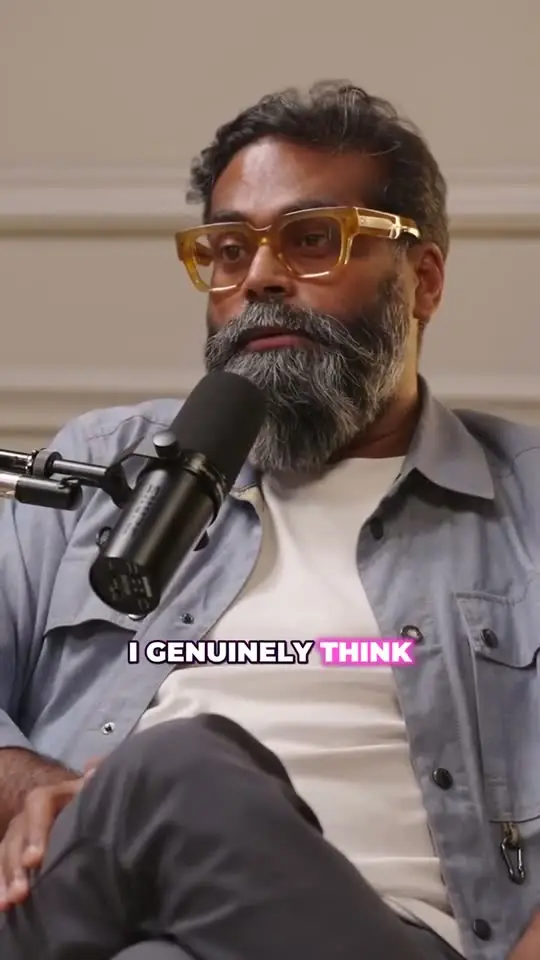 92
Why This CEO Says Traditional Education Is Redundant
How it works
From video to clips in three steps
- STEP 01
Add your video
Paste a link to your YouTube video or upload a file. Podcasts, interviews, talks, streams, tutorials — anything with people talking, up to 3 hours long.
- STEP 02
AI finds the moments
We transcribe every word, read the whole conversation and score each moment for hook, payoff and shareability.
- STEP 03
Get ready-to-post clips
Vertical 9:16, people in frame, animated captions, a title for each. Tweak anything, then export in 1080p.
Features
An editor's instincts, automated
Highlight detection
An editor's eye for hooks, emotional peaks, hot takes and quotable lines, with a virality score for every clip and the reasons behind it.
Speaker tracking
Face-aware reframing keeps people in the 9:16 frame, shot by shot, and splits two people in a wide shot top and bottom.
Animated captions
Word-level timing with five styles: pop, karaoke, boxed, neon, minimal.
A real editor
Trim on a waveform timeline, fix a word, move the focus, change the look. Previews update instantly.
Any language
Transcribes 50+ languages, and can translate titles and captions.
Fast & sharp
Clips land in minutes. Export in 720p or full 1080p.
Automations
Add your YouTube channel once. Every new upload is clipped, and the best Shorts can publish on their own.
Use cases
Made for people who talk on camera
YouTubers
Turn every upload into a week of Shorts that point back to the full video.
Podcasters
Find the three moments per episode people will actually share.
Streamers
Pull the funniest bits and hottest takes out of long VODs.
Educators
Slice lectures into bite-sized lessons students will watch.
Marketers
Repurpose webinars and customer interviews into social proof.
Businesses
Keep every channel posting from the content you already have.
Pricing
Pay for minutes, not clips
1 credit = 1 minute of source video. Generate as many clips as you like from it, and edit and export for free.
Free
Try it on a couple of videos.
$0forever
- 60 credits on signup
- 720p exports with watermark
- All subtitle styles
- Clip editor
- Automation: 1 channel, 1 video/day, up to 20 minutes
Creator
For weekly uploaders.
$7.17/ month
$86 billed yearly
- 900 credits / month
- 1080p exports, no watermark
- Priority processing
- Export all as ZIP
- Automation: 3 channels, 3 videos/day, up to 1 hour
Pro
For daily posters and agencies.
$19.17/ month
$230 billed yearly
- 3,000 credits / month
- 1080p exports, no watermark
- Fastest queue
- Export all as ZIP
- Automation: 10 channels, 10 videos/day, up to 3 hours
Compare
More minutes for less
Here's what the cheapest paid plan of each tool gets you, side by side.
| Tool | Entry plan | Included / month | Per minute |
|---|---|---|---|
| ClipTaro · CreatorCreator · $9 | $9 | 900 min | $0.010 |
| 2short.ai · LiteLite · $9.90 | $9.90 | 300 min | $0.033 |
| Vizard · CreatorCreator · $29 | $29 | 600 min | $0.048 |
| OpusClip · StarterStarter · $15 | $15 | 150 min | $0.100 |
| quso.ai · LiteLite · $29 | $29 | 100 min | $0.290 |
| Descript · HobbyistHobbyist · $24 | $24 | 10 hours + 400 credits | $0.040 |
| Klap · BasicBasic · $29 | $29 | 100 clips | — |
| Submagic · StarterStarter · $19 | $19 | 15 videos (max 2 min each) | — |
| VEED · CreatorCreator · $26 | $26 | 500 credits | — |
| Captions · MaxMax · $24.99 | $24.99 | 500 credits | — |
| Riverside · ProPro · $29 | $29 | Not listed | — |
Monthly billing, from each tool's public pricing page, checked October 2026. Prices may have changed since. Tools that count clips, videos or credits have no per-minute price.
At a glance
What ClipTaro does
ClipTaro is an AI clipping tool that turns long videos (podcasts, interviews, talks, streams and tutorials) into vertical short clips for TikTok, Instagram Reels and YouTube Shorts, with AI-picked highlights, speaker tracking and animated captions.
| Input | A YouTube link, or a video file upload of up to 2 GB |
|---|---|
| Video length | Up to 3 hours per video |
| Works best with | Videos with people talking: podcasts, interviews, talks, streams, tutorials, commentary |
| Output formats | 9:16, 1:1, 4:5, 16:9 MP4, exported in 720p or 1080p |
| Made for | TikTok, Instagram Reels and YouTube Shorts |
| Direct publishing | YouTube, from the app |
| Automations | Watches your YouTube channel every 15 minutes, clips each new video and publishes the best clips to YouTube after your approval or automatically, on every plan |
| Transcription | 50+ languages, with word-level timestamps |
| Title and caption translation | English, Spanish, Portuguese, French, German, Indonesian, Hindi, Japanese, Korean |
| Caption styles | 5 animated styles: Bold Pop, Karaoke, Boxed, Neon, Minimal |
| Clip scoring | A 0–100 virality score for every clip, with the reasons |
| Pricing | 1 credit = 1 minute of source video. Free: 60 credits on signup. Paid from $9/month |
| Runs in | The browser. Nothing to install |
FAQ
Questions, answered
ClipTaro is an AI clipping tool that turns long videos (podcasts, interviews, talks, streams and tutorials) into vertical short clips for TikTok, Instagram Reels and YouTube Shorts, with AI-picked highlights, speaker tracking and animated captions. Paste a link or upload a file, and ClipTaro transcribes it, finds the strongest moments and hands you ready-to-post clips you can still edit.
Paste the YouTube link or upload the file, click Generate Clips and wait a few minutes. ClipTaro transcribes the video, picks the best moments, reframes each one to 9:16 with people kept in frame and adds animated captions. Review the clips, tweak any of them in the editor, then export the MP4s or publish straight to YouTube.
A language model reads the whole transcript the way an editor would. It looks for a strong opening hook, a self-contained idea, a clear payoff and signals like surprise, humour, emotion or a quotable line. Every clip gets a 0–100 score and the reasons behind it.
Anything with people talking: podcasts, interviews, keynotes, commentary, tutorials, streams. Music videos or footage with no speech won't produce good clips.
You can start free with 60 credits, about an hour of video, with no card needed. Paid plans are Creator at $9 a month for 900 credits and Pro at $24 a month for 3,000 credits, and yearly billing saves 20%. Free exports are 720p with a small watermark; paid exports are 1080p with none.
ClipTaro's free plan gives you 60 credits, about an hour of video, with no card needed. Free exports are 720p with a small watermark. Every paid plan, from $9 a month, exports in 1080p with no watermark.
Yes. Paste the YouTube link and ClipTaro fetches the video itself, so you never download or re-upload the file. If the video isn't on YouTube, upload the file instead (up to 2 GB).
Pick between 3 and 15 clips per video, and a length: auto, under 30 seconds, 30–60 seconds or 60–90 seconds. Credits pay for minutes of source video, not clips, so 15 clips cost the same as 3.
ClipTaro publishes straight to YouTube from the app. For TikTok and Instagram Reels, export the vertical 9:16 MP4, which already has the captions burned in, and upload it in TikTok or Instagram as is.
Yes. Add your YouTube channel to an automation and ClipTaro checks it every 15 minutes. Each new video becomes captioned vertical clips, charged at the usual 1 credit per minute. Approve the ones you want on your YouTube channel, or let the best ones publish automatically, spaced out as you choose. Shorts and live streams are skipped, and it only works for channels whose videos you own or have permission to use.
One credit per minute of source video, charged when you click Generate Clips. Editing, re-rendering and exporting are free. If processing fails, the credits go straight back to your balance.
Up to 3 hours per video, from a YouTube link or an uploaded file of up to 2 GB.
Yes. Trim the start and end on a waveform timeline, fix any caption word, change the subtitle style, colours and position, adjust where the frame is focused, switch to 1:1, 4:5 or 16:9, and rename the clip.
Transcription works in 50+ languages. Titles and captions can stay in the video's language or be translated into English, Spanish, Portuguese, French, German, Indonesian, Hindi, Japanese or Korean.
ClipTaro is built for repurposing your own content. Only process videos you own or have permission to use, and respect other creators' rights and the terms of the platform the video is on. ClipTaro makes edited clips; it doesn't offer the original video for download. Copyright complaints go to [email protected].